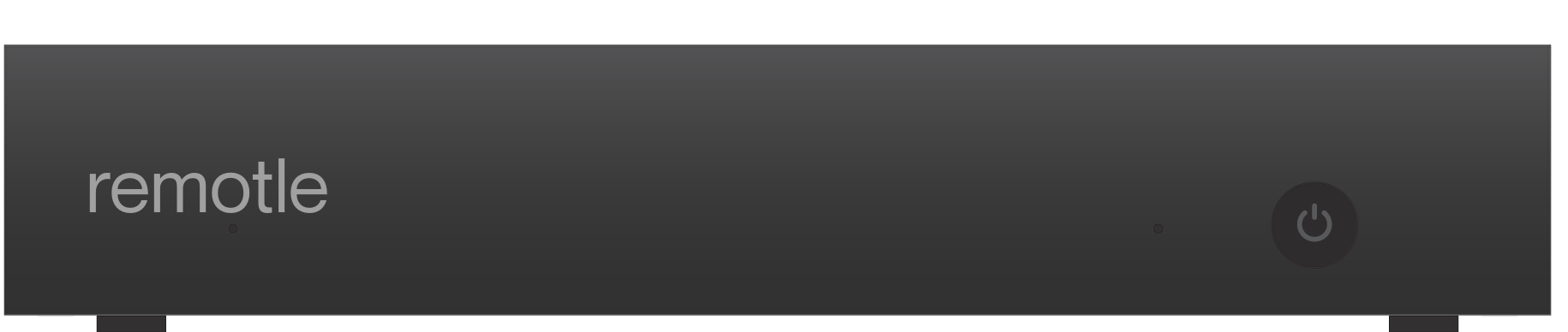
Hardware
The Remotle device
A small thin client that does nothing else. Plug it in at the desk and it finds the workstation.
Dual 4K readyLocked down, nothing stored on itSuits fixed desks and meeting rooms
Put the Remotle device on the desk, or turn a Windows PC or Mac you already have into one with kiosk mode. Either way it starts straight into Remotle and does nothing else.
A small thin client that does nothing else. Plug it in at the desk and it finds the workstation.
Continue with Microsoft, or use your email address
Turn a Windows PC or Mac you already have into a terminal that starts straight into Remotle. Included with Remotle.
Install Remotle on a Windows PC or Mac with kiosk terminal support, which is on by default.
The terminal shows a short code. An administrator enters it in the console to claim it.
From then on the computer starts straight into Remotle, ready for whoever sits down.
Give this code to your administrator. They will enter it in the Remotle console.
Waiting for an administrator to enrol this terminal…

Terminals show your organisation's sign-in screen and photos. People sign in with Microsoft, with email, or through your own identity provider such as Okta or AD FS.
Continue with Microsoft, or use your email address
Sign out, Shut down and Restart each ask before they act.
IT opens Terminal settings with the terminal's own maintenance password. Nobody needs an administrator account on the machine to arrange a screen or join a network.
A locked account whose only program is Remotle. Close it and it comes straight back.
Run, Control Panel, settings, the browser, the command prompt, registry tools and USB storage are blocked.
The work stays on the workstation. A terminal left in a meeting room holds no project files.
The kiosk account is created and managed by the Remotle service, with a random password nobody sees.
Removing a terminal from the console puts the computer back exactly as it was.